ZTE U60 Pro Toolkit
Unlock the full potential of your ZTE U60 Pro 5G mobile router. On-device agent, native companion apps, and web-based bootstrap tools.
The Hardware
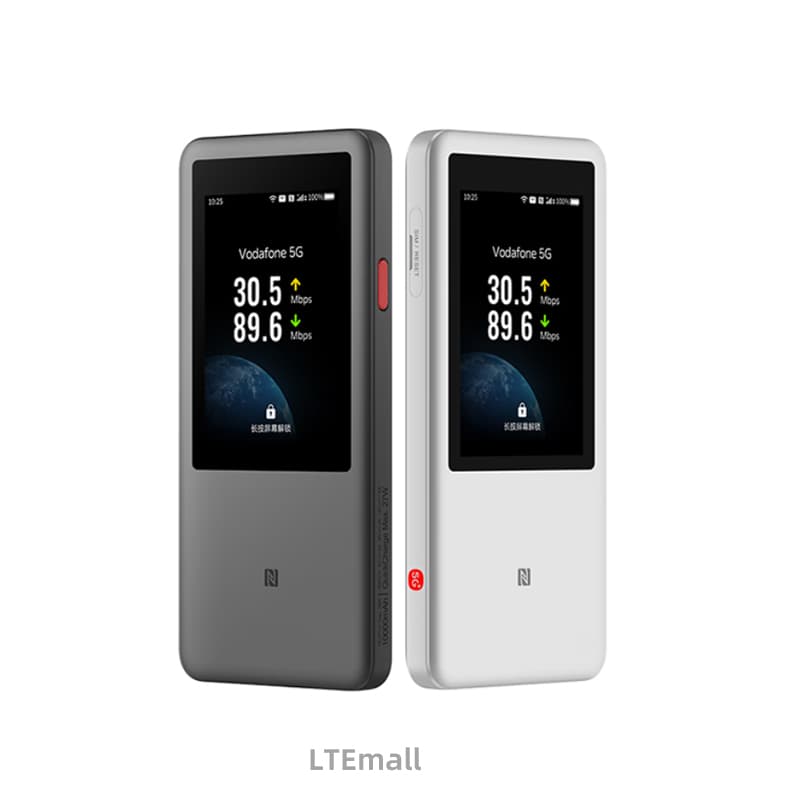
ZTE U60 Pro (MU5250) — a 5G-Advanced portable router with Snapdragon X75 and a 10,000 mAh battery.
What's Included
On-Device Agent
Lightweight Rust HTTP server (~0.8 MB RSS) replaces ZTE's 225 MB daemon stack. 143 REST endpoints across 16 categories.
Mobile Companion Apps
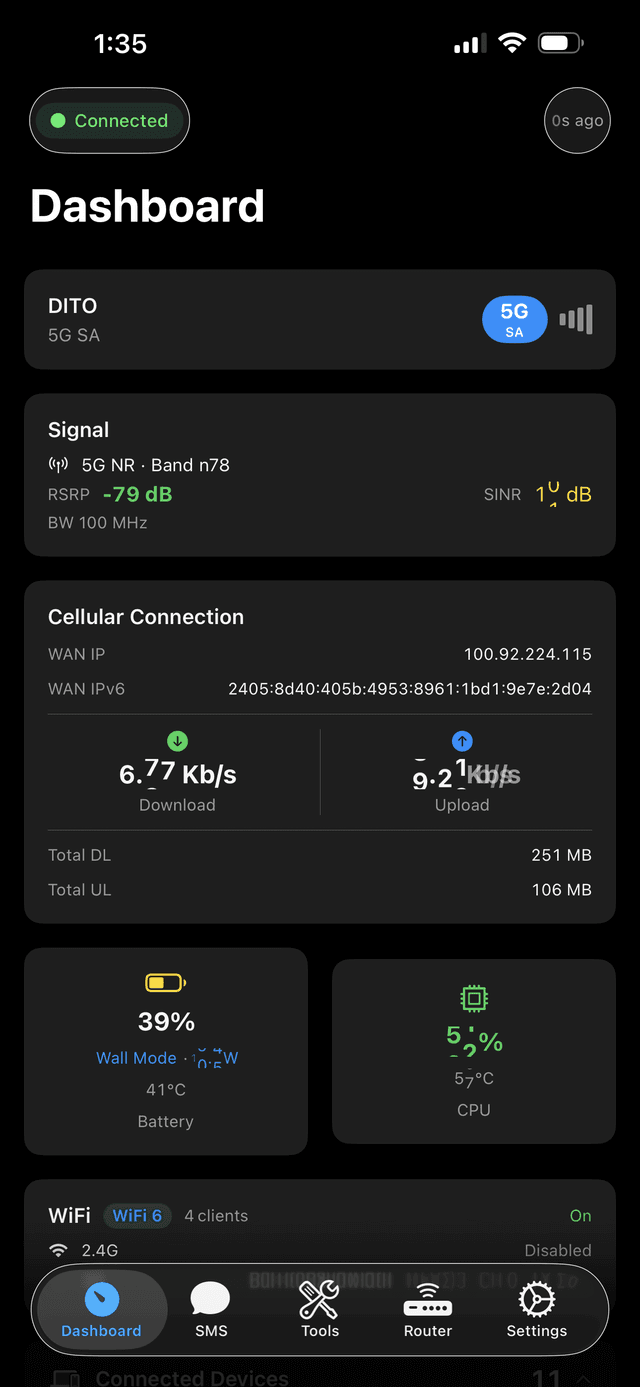
Native iOS (SwiftUI) and Android (Compose) apps. Dashboard, signal monitor, SMS, band lock, device management — all over WiFi.
Web Bootstrap
Deploy the agent entirely from your browser. WebUSB-powered — no command line needed. Works in Chrome and Edge.
Signal Monitoring
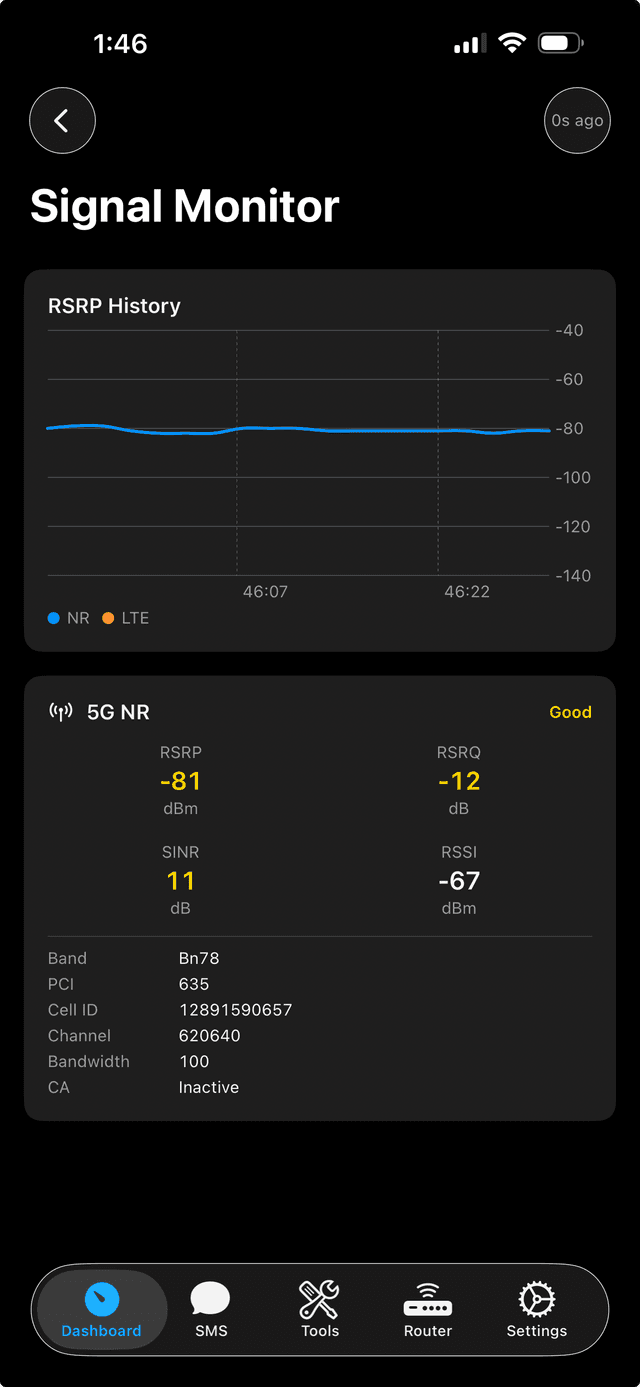
Real-time RSRP, SINR, RSRQ readings. NR/LTE cell info, neighbor cell scanning, and signal quality detection.
Band Locking
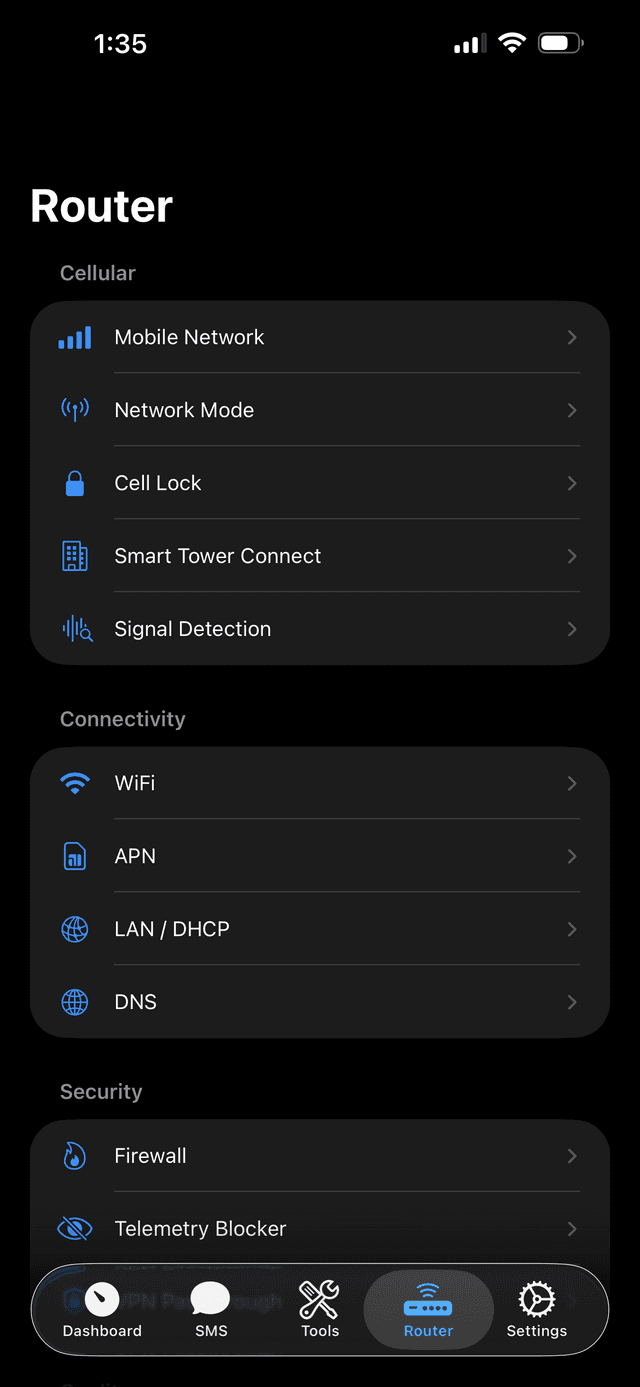
Lock to specific NR and LTE bands. Cell locking, STC (Smart Tower Connect), and carrier aggregation control.
Privacy First
Zero telemetry. No phone-home to ZTE servers. Open-source agent runs on your LAN only. Full control over your device.
Feature Deep Dive
How each feature works in practice — from network testing to modem diagnostics.
Speed Test
NetworkMeasure internet throughput directly from the router.
The agent connects to speedtest.net servers from the U60 itself. Measures latency, download, and upload — giving you the true WAN speed without WiFi overhead. Results stream to the app in real time.
LAN Speed Test
NetworkTest WiFi link quality between your phone and the router.
Your phone sends HTTP requests to the agent's /lan-test/* endpoints over WiFi. Measures ping (empty 200), download (agent streams zeros), and upload (phone streams, agent counts bytes). Tests your WiFi link, not WAN.
SMS Management
TelephonyRead, send, and delete SMS directly from the companion app.
Messages are read and sent via ubus commands on the device. Conversations are grouped by contact number. You can send to any number, delete individual messages, or clear entire threads.
SMS Forwarding
TelephonyAuto-forward incoming SMS to Telegram, webhooks, and more.
The agent listens for the ubus new-SMS event — no polling delay. Incoming messages are matched against rules (sender, keyword, or both). Matches are forwarded to Telegram, webhooks, ntfy, Discord, Slack, or another phone number, with automatic retry on failure.
Signal Monitoring
ModemReal-time RSRP, SINR, and RSRQ readings with cell info.
Reads signal metrics from the modem in real time. Shows serving cell info (NR or LTE), EARFCN/ARFCN, PCI, and band number. Neighbor cell scanning is available for finding better towers in your area.
Band Locking
ModemLock the modem to specific NR or LTE bands and cells.
Force the modem onto specific NR or LTE bands. Cell locking by PCI + frequency. Smart Tower Connect (STC) for automatic best-tower selection. Useful for avoiding congested bands or forcing a better tower.
DNS-over-HTTPS
PrivacyBuilt-in encrypted DNS proxy for all LAN clients.
The agent runs a DoH proxy — LAN clients can use 192.168.0.1:9090 as their DNS resolver. Queries are forwarded over HTTPS to Cloudflare or Google. A response cache speeds up repeat lookups and reduces latency.
Scheduler
AutomationSchedule any API action as a one-time or recurring job.
Create cron-style jobs that call any agent API endpoint. Examples: reboot at 3 AM daily, toggle airplane mode on a schedule, run a speed test every hour. Jobs are persisted to disk and survive reboots.
Charge Policy
DeviceiPhone-style charge limiter to protect battery health.
Set an 80% charge cap — the agent listens for ubus charger events and reacts instantly to state changes. Pauses charging at the limit and resumes at 75% (5% hysteresis). Keeps the battery in its healthiest charge range for long-term use.
AT Commands
ModemDirect AT command interface for advanced modem diagnostics.
Send AT commands directly to /dev/at_mdm0. Query IMEI, modem firmware version, detailed signal info, or send custom AT strings. A power-user tool for deep modem diagnostics and configuration.
Why Use This Instead?
| zte-agent | ZTE Official | |
|---|---|---|
| Processes | 1 | 44 |
| Memory (RSS) | ~0.8 MB | 225 MB |
| Binary Size | ~2.3 MB | ~50+ MB combined |
| Threads | ~10 | ~130+ |
| Telemetry | None | Phones home to iot.zte.com.cn |
| App | Open-source iOS/Android | Closed-source, Chinese-only |
zte-agent provides equivalent API access using 0.35% of the memory
Mobile Companion Apps
Native apps that connect directly over WiFi — no computer needed.
Ready to get started?
Deploy the agent to your router and take full control of your U60 Pro.